
FieldTask5 is now available as a Beta Test download on Google Play. This is a major upgrade with significant improvements to performance, reliability and Android compatibility while retaining all the Smap features you rely on.
If you are interested in the code it is available in GitHub at https://github.com/smap-consulting/fieldTask5.
What’s Changed from FieldTask4
ODK Collect Upstream Merge
FieldTask began life as a fork of Collect, we then modified it to add case management and the many other capabilities that make it a better M&E tool. It is a good idea to keep forks of software in sync with the upstream source so that enhancements and bug fixes to that code can be included however this was difficult in this case for the following reasons:
- The Collect team have been progressively re-writing the Java code into Kotlin making automatic identification of Smap changes difficult.
- Collect have been migrating code into modules. So a file modified by Smap moves and it is again hard to detect Smap functionality and automatically merge it.
- Collect like implementing the latest fashion in design patterns so single files get broken up into multiple files or vice versa again making automatic merge difficult.
- Low motivation. Each merge does not usually bring obvious improvement. However over time the change do reach a critical mass of usefulness much like upgrading infrastructure components.
The result was that FieldTask4 has not been merged with Collect for 4 years. For FieldTask5 we started from scratch with a fresh fork and then reapplied all of the Smap features.
From now on we expect to keep FieldTask5 in sync with Collect using AI coding tools. This is the sort of problem that these tools are good at and human programmers are bad at.
Changes:
- FieldTask5 now targets Android 15 (SDK 35) and compiles against SDK 36, ensuring compatibility with the latest Android devices and security requirements.
- Adoption of Jetpack Compose for new UI components, providing a smoother, more responsive experience
- Updated Material Design 3 components throughout the app
- Improved form entry navigation and validation — answers are now validated without requiring a save, giving faster feedback
- Scale bar added to Google Maps and OpenStreetMap map views
- Improved OSM max zoom levels for better detail
- Refactored map fragments for better stability and performance
- Enhancements to entity form processing — creation, updating, editing, approval and locking
- Improved reliability of barcode scanning across devices
New Smap Features in FieldTask5
The focus of this release was just to include the existing FieldTask4 functionality in the new FieldTask5 fork. However we did find time to add a few enhancements:
- You can now refresh your forms and tasks by dragging down on the Form list or task list page. This is standard Android behaviour for initiating a refresh.
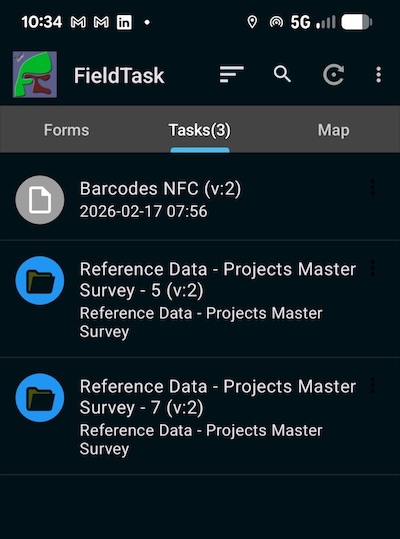
- Completed instances that cannot be sent to the server because the form on the server has been blocked or deleted will now be shown as orphans with a grey icon. They will not be sent to the server until the form is unblocked or undeleted. This contrasts with fieldTask4 behaviour where these instances were sent and a “403 – forbidden” error would then be shown. This message will however still be shown the first time you refresh with that instance and it finds out that it is an orphan.
Accessing the FieldTask5 beta
FieldTask5 has not yet replaced FieldTask4 in the Google play store. But you can access it by joining the beta program.
Step 1 — Join the Beta Program
- Search for fieldTask in the play store, tap on the name/icon to open its detail page, scroll down to the “join the beta section” and tap join.
Step 2 — Install FieldTask5
- After joining the beta program, go to the FieldTask listing on Google Play
- You should see a note indicating the beta version is available
- Tap “Update” or “Install”
Step 3 — Provide Feedback
As a beta tester your feedback is invaluable. If you encounter any issues or have suggestions:
- Use the feedback option within Google Play’s beta program page
- Contact us directly by email through the Smap support channels, smap-suite@googlegroups.com
- Report issues on our GitHub repository https://github.com/smap-consulting/fieldTask5/issues
Important Notes
- The beta version will replace any existing FieldTask installation on your device since it shares the same application ID
- Your existing data and settings should be preserved during the upgrade
- Beta releases may contain bugs — we recommend backing up important data in the app before upgrading
- You can leave the beta program at any time from the same testing link and revert to the stable release
We look forward to your feedback as we work toward the stable release of FieldTask5!